
Payment Reminder Software for Locksmiths
Payable.at is payment reminder software for locksmiths who want to get paid without the awkward follow-up. Send a payment request when the job is done and Payable.at handles the reminders until you're paid.
14-day free trial. No credit card required.
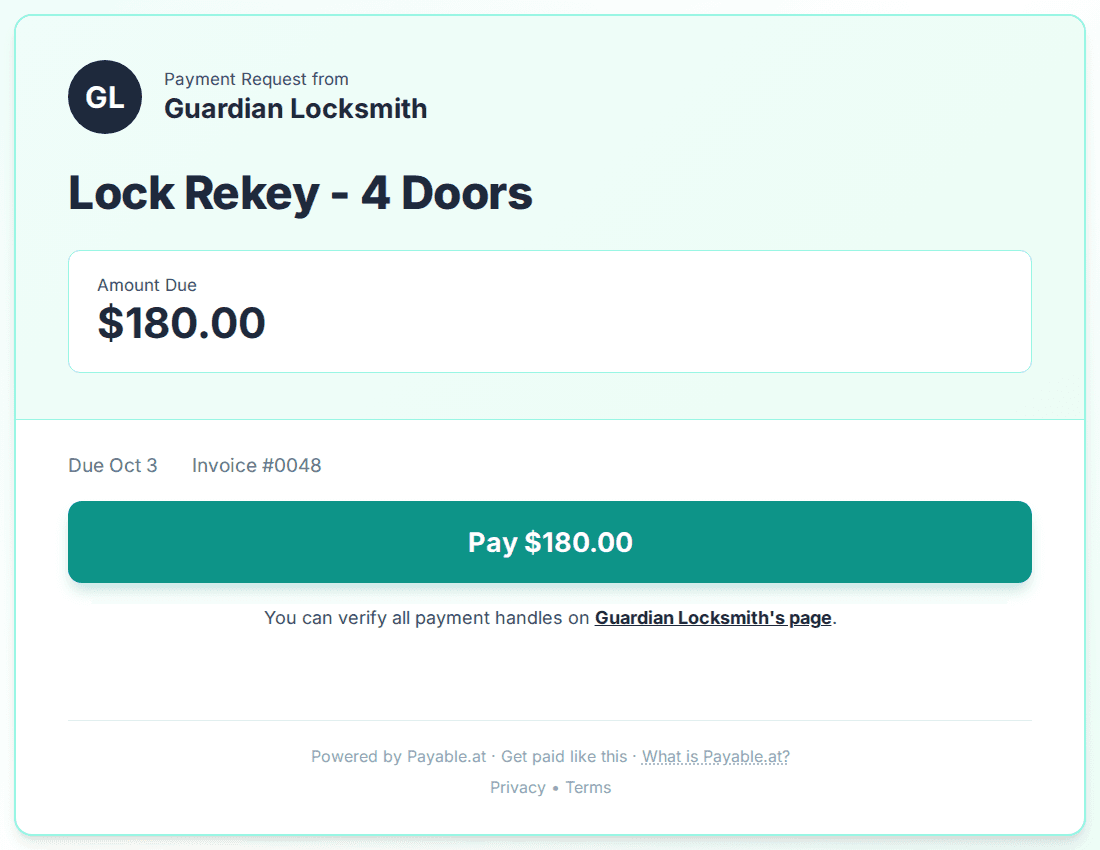
How Payable.at works for locksmiths
Create a payment request
Takes about 30 seconds. The amount, what it's for, and who owes it.
Your client gets a clean payment page
No account, no app, nothing to download. One tap and they're paying you.
Reminders run until you're paid
Payable.at follows up politely on a schedule. When your client marks it paid, you get notified right away.
What the reminder schedule looks like
- Request sentDue on receipt
- Day 3Friendly reminder
- Day 6Friendly reminder
- Days 9 to 15Tone firms up
- Day 18Final notice, sequence ends
Every reminder is polite and sounds like it came from you. The moment your client pays or reports payment, reminders pause. You confirm, mark it paid, done.
Payment reminder examples for locksmiths
Here's what your clients actually receive.
Hi Priya, Maria Lopez sent you a payment request for "Last week's job" ($350). You can pay however works for you.
Pay here: payable.at/maria/0042
Hi Priya, just a friendly reminder about your $350 payment to Maria Lopez for "Last week's job". You can pay however works for you.
Pay here: payable.at/maria/0042
Hi Priya, following up on your $350 payment to Maria Lopez for "Last week's job", which is now overdue. You can pay however works for you.
Pay here: payable.at/maria/0042
Hi Priya, this is the final automatic reminder about your $350 payment to Maria Lopez for "Last week's job". Please settle it today, or reply to reach Maria Lopez directly.
Pay here: payable.at/maria/0042
Works with how your clients already pay
Card, Venmo, cash, or whatever else you already use. Your client pays however they normally pay. You mark it paid and the reminders stop.
Payment guides for locksmiths
Payment Methods for Small Businesses
Every payment method locksmiths actually use: fees, deposits, tips, and timing.
How to Collect Payment from Clients
Templates, scripts, and follow-up strategies
Payment Reminders Guide
Automate your follow-up and get paid faster
Payment Processing Fees Compared
Venmo, Zelle, PayPal, Stripe fees side by side
Payment Links Guide
Create and share links on every platform
Venmo for Business
Fees, limits, and setup for business payments
Zelle for Business
Zero fees, direct bank transfers explained
Frequently asked questions
Will payment reminders annoy my clients?
No. Every reminder is polite, reads like a normal note from you, and comes from your name, not a company they have never heard of. The moment your client pays or reports a payment, the reminders stop. Most clients simply forgot, and a calm nudge is far less awkward than you chasing them by text.
What should a payment reminder say?
Keep it short: what the payment is for, the amount, and a link to pay. No guilt, no long explanation. The reminder examples above show the exact wording Payable.at sends on your behalf at each stage.
How much does Payable.at cost?
Plans start at $19/month after a 14-day free trial. No credit card required to start, and you can send real payment requests during the trial.
Do I need to change how I get paid?
No. Keep using Venmo, Zelle, PayPal, or whatever you already use. Payable.at puts them all on one page so clients can pick.
How is this different from QuickBooks or FreshBooks?
Those are full accounting systems. They do invoicing, expenses, taxes, payroll, reporting. A lot of things most solo operators do not need. Reminders are one feature buried inside a much bigger product. Payable.at does one thing only: gets you paid without you having to chase. If you need full accounting software, use QuickBooks. If you just want to stop chasing payments, use this.
Start with your next job.
Send the payment request when the job is done and Payable.at handles the reminders until you're paid.
14-day free trial. No credit card required.